
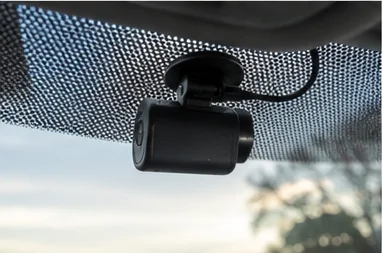
Dash Cam Won't Read the SD Card? A Step-by-Step Fix
Timi
If your dash cam will not read its SD card, the first thing to protect is not the camera. It is the footage.
That is easy to forget when the camera is flashing a “card not detected” message and you just want it working again. But if there is a recording on that card you might need, for an accident or an incident, the wrong move now can wipe it for good. Work through this in order.
First, do not format it yet
If the camera prompts you to format the card, and you need footage off it, do not agree. Formatting is exactly what destroys the recordings you are trying to save. The same goes for your computer. If Windows says the drive needs formatting before you can use it, click cancel, not format.
The rule while there is footage you care about: stop writing to the card. Take it out of the camera so nothing new gets recorded over the old files.
Try the simple fixes first
Some “won’t read” errors are nothing serious:
- Power the camera down, then reseat the card. Never pull a card while the camera is on. Switch it off, remove the card, gently reinsert it, and power back up. A loose or dirty contact is a common cause.
- Clean the contacts. Wipe the gold contacts on the card with a dry, lint-free cloth. Dust and grime in the camera’s slot cause read failures.
- Test the card in a computer. Put the card in a reader and see if your computer sees it. This one test tells you a lot, as the next steps explain.
If you need the footage: recover it before anything else
Put the card in a computer using a card reader.
If the computer opens the card and you can see the video folder, you are in luck. Copy every file you might need to your desktop straight away, before you do anything else to the card. The camera’s own reader can be finicky even when the data is perfectly intact.
If the computer cannot read it and offers to format it, cancel. The file system is corrupted, but the video files are often still physically on the card. This is where data recovery software comes in. Free tools like Recuva or PhotoRec can scan the raw card and pull back recordings, and paid tools exist if the free ones miss files. Scan the card, preview what it finds, and save anything important to your computer first.
Only once your footage is safe should you move on to fixing the card.
Now fix the card
With the footage recovered, or if there was nothing on the card you needed:
- Format the card on your computer to FAT32 (do a full format, not a quick one, if the option is there). This wipes the corrupted file system and gives you a clean start.
- Put it back in the camera and format again in the camera. This sets up the folders the way the camera expects. In most cases the error is now gone.
- Update the camera firmware if the problem came back, since some read errors are firmware related.
If the card now works, the issue was corruption and you have solved it.
If it still will not read
If a freshly formatted card, or a brand new one, still will not read in the camera, the card is either dead or the camera’s reader has failed. Test with a second known good card. If that also fails, the camera is the problem. Cheaper cameras are known for wearing out card readers or corrupting cards repeatedly, so if you are on your third card in a year, the camera is the thing to replace, not the card.
To avoid a repeat, fit a proper high endurance card sized correctly for your camera. Our guide to the best SD card for a dash cam covers exactly what to look for, and if you are seeing other error messages too, start with our guide to dash cam SD card errors.
Why this is a bigger problem across a fleet
Everything above assumes one person, one card, and enough time to sit down with recovery software. Across a fleet that does not hold up.
When a claim lands, you need the footage now, not after someone drives to the depot, pulls a card, and finds out it corrupted three weeks ago. The whole point of running cameras is to have evidence when you need it, and a card that will not read at the moment of truth defeats the purpose.
This is the case for not relying on a card in the vehicle at all. Footage that uploads over 4G is off the card and safe before anyone goes looking for it, and you get an alert if a camera stops recording rather than discovering it after the fact. For taxi and PHV operators, where a passenger dispute can put your licence at risk, that reliability matters even more, as we cover in our guide to dash cams for UK PCO operators.
Summary and next steps
If your dash cam will not read the card and you need the footage, stop writing to it, recover the files on a computer first, and only then reformat. If a good card still fails, the camera is at fault. Prevent it happening again with a proper high endurance card, and for a fleet, remove the single point of failure by having footage upload automatically.