

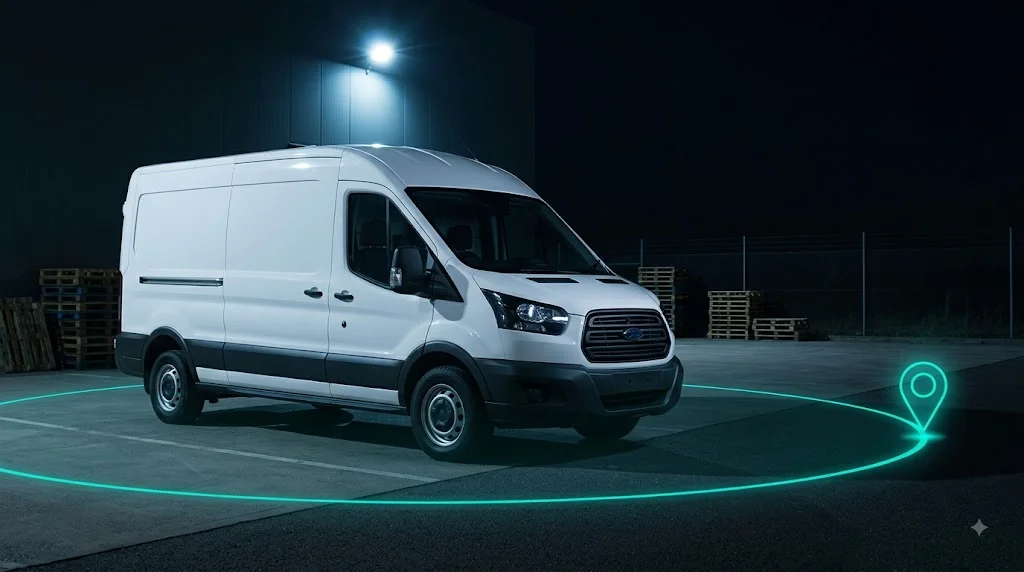
How to Set Up Geo-Fencing to Stop Fleet Theft and Misuse
Charles
What if your vehicles could alert you the moment they are taken somewhere they should not be?
That is exactly what geo-fencing does. You draw a virtual boundary on a map, tie it to one or more vehicles, and the moment a vehicle crosses that line, you get told. It sounds simple, and it is, but it quietly solves some of the most expensive problems in running a fleet: theft you find out about too late, drivers using vehicles off the clock, and vans drifting outside the areas they are meant to serve. This post explains how geo-fencing works, how to set it up on the Traknova platform, and where it pays off, whether you run 5 vehicles or 500.
What geo-fencing actually is
A geo-fence is a boundary you define on the map. It can be a tight circle around your depot, a shape drawn around a client site, or a large area covering a whole service region. Once it exists, the system watches for vehicles entering or leaving it and reacts the way you tell it to.
The important shift is from looking backwards to knowing in the moment. Standard tracking tells you where a vehicle has been when you go and check. Geo-fencing flips that round: instead of you watching the map, the map watches for you and speaks up only when something crosses a line that matters. That is the difference between reviewing a theft the next morning and getting a chance to stop it while it is happening.
Why it matters
Most fleet losses do not announce themselves. A van gets taken overnight and is long gone before anyone arrives at the yard. A driver uses a vehicle for a personal trip at the weekend and you never know unless you happen to look. A car drifts well outside its patch and racks up mileage and fuel on jobs that were never yours. In every case, the cost is already banked by the time you find out.
Geo-fencing catches these in the moment they happen:
- A vehicle leaves the depot outside of work hours, which is one of the earliest signs of theft
- A van crosses out of its expected service area, pointing to misuse or a routing problem
- A car enters a location it has no business being in, whether that is a competitor site or somewhere personal
Catching any of these live is the difference between recovering a vehicle and filing an insurance claim.
Watch: setting up geo-fences in Traknova
Here is the full walkthrough, from drawing your first zone to getting alerts on your phone.
How to set up geo-fencing
1. Create your custom zones
Draw geo-zones around the places that matter: your depot, individual client sites, an entire service area, or a no-go region you want to keep vehicles out of. You control the shape and the size, so a zone can be as tight as a single yard or as broad as a city. Start with the handful of locations where movement really means something, and add more as you go.
2. Set alerts for entering or exiting
Decide what should trigger an alert. That might be a vehicle leaving the yard, entering a restricted area, or straying outside its normal patch. Entry and exit can be treated differently, so arriving at a client site might simply be logged, while leaving the depot after hours raises a flag. You are the one deciding what counts as normal and what counts as a problem.
3. Choose how you get notified
Get told instantly by SMS, email, or push notification, and pick the channel that actually reaches you. An overnight theft alert is useless if it sits in an inbox until morning, so for the events that matter most, choose the notification you will see straight away.
Bonus: schedule alerts by vehicle type or work hours
You do not want alerts firing all day for normal activity. Scheduling fixes that. A vehicle leaving the depot at 2pm on a weekday is business as usual, but the same movement at 2am should flag immediately. Set your working hours and the system only bothers you when something falls outside them. You can also tune alerts by vehicle type, so a delivery van and a manager’s car can follow different rules.
Where it pays off
Geo-fencing is not just a theft alarm. The same setup quietly handles several everyday problems.
Theft and recovery. The faster you know, the more chance you have of getting a vehicle back. An out-of-hours movement alert can be the first sign of a theft, and combined with live tracking it gives you and the police a real chance of recovery rather than a claim form.
Unauthorised use. Off-hours trips and personal use are easy to let slide because each one seems small. Geo-fencing surfaces them, which tends to stop the behaviour simply because staff know movement is visible. It protects you on cost, on insurance, and on liability if something happens in a vehicle that was never meant to be out.
Service area control. For fleets with defined patches, a zone around the working area shows you instantly when a vehicle drifts. That is fewer wasted miles, less fuel, and a cleaner picture of whether jobs are being done where they should be.
Client and site accountability. Zones around client sites give you a timed record of arrivals and departures. That settles disputes about whether a job was done, and it feeds accurate arrival information back to customers.
Going a step further than alerts
An alert tells you something is wrong. Sometimes you want to do more than know. Pairing geo-fencing with an immobiliser means that when a vehicle triggers a theft alert, you are not limited to watching it move. This layered approach, know instantly and then act, is what turns tracking from a record-keeping tool into genuine fleet security.
Setup tips worth knowing
A few small choices make geo-fencing far more useful. Keep your most sensitive zones, like the depot, tight, so you are not getting noise from vehicles simply parked nearby. Use scheduling from the start so alerts mean something rather than becoming background you learn to ignore. And review your zones every so often, because service areas, client sites and working patterns change, and a geo-fence is only as good as the map it is drawn on.
Summary and next steps
Geo-fencing is one of the cheapest and fastest wins in fleet security. It takes minutes to set up, works quietly in the background, and only speaks up when something genuinely needs your attention. For a small fleet it is a simple safety net. For a large one it is the only realistic way to keep track of movement across dozens or hundreds of vehicles without staring at a map all day.
For the bigger picture, see our GPS tracking solution and where fleet security is heading in 2026. If you want to go beyond alerts and actually stop a vehicle, look at immobilisers.
Do not wait until something goes wrong.