
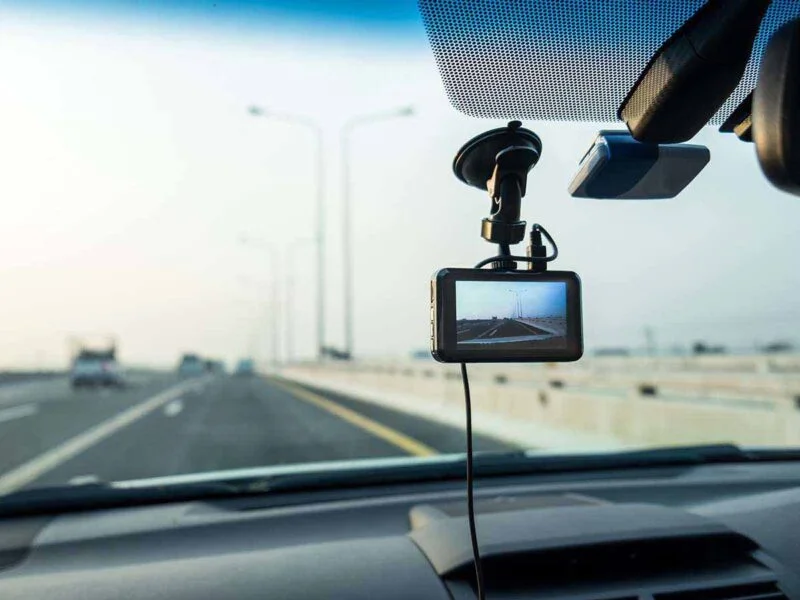
Why Your Dash Cam Is Draining Your Car Battery (And How to Fix It)
Timi
If your car battery keeps going flat and you have a dash cam fitted, the two are almost certainly connected.
It is one of the most common complaints from dash cam owners. The camera works fine, then one cold morning the car will not start and you are waiting on a jump-start. The good news is the cause is nearly always the same, and it is fixable without ripping the camera out.
The short answer: yes, but only in parking mode
A dash cam that only runs while you drive will never flatten your battery. While the engine is running, the alternator powers everything and tops the battery back up. The camera is drawing from a source that is being refilled.
The problem starts with parking mode, the feature that keeps the camera recording after you switch the engine off. With the engine off, nothing is charging the battery. Every minute of parked recording is pulled straight from your starter battery, and the battery does not get anything back until you next drive.
A typical single camera draws around 250mA in parking mode, and closer to 400mA when it is actively recording an event. Fit a two or three camera system and that figure climbs. It sounds small, but it adds up faster than most people expect.
The maths behind a flat battery
A standard car battery holds roughly 50Ah of charge. You do not want to pull it below about 50% before you risk not being able to start the engine, which leaves you around 25Ah of usable capacity.
Run the numbers on a healthy battery:
- 25Ah usable, divided by a 0.25A draw, gives 100 hours before you hit the danger zone
- That is the perfect-world figure, and almost nobody lives in the perfect world
In reality your battery is not at 100% when you shut the engine off, it is often nearer 75 to 80%. It is probably a few years old. It is cold outside, which cuts capacity further. Stack those together and the honest answer is that many setups will flatten a battery in a day or two of parking, sometimes less. A multi-camera setup left over a cold weekend is a classic way to come back to a dead car.
Why newer cars make this worse
A lot of drivers assume the fitter can simply wire the camera to switch off with the ignition, so it never runs when parked. On plenty of modern cars that is not straightforward.
Some newer models, the current Mazda 3 being a well-known example, do not have an ignition-switched fuse in the cabin fuse box. A lazy installer taps a permanently live circuit instead, and the camera then runs 24/7 whether you wanted parking mode or not. That is exactly when people come back to a battery with nothing left in it. A good installer routes to a switched supply or fits proper protection. A rushed one does not, and you only find out weeks later.
The main fix: a hardwire kit with a voltage cutoff
The proper solution is a hardwire kit with a low-voltage cutoff. This is a small module that monitors your battery voltage and automatically shuts the camera down before the battery drops too low to start the car. It protects the one thing you actually care about, which is being able to drive away.
Most decent hardwire kits have this built in, and the cutoff threshold is usually configurable. If your camera has no voltage monitoring and is wired straight to a live feed, it is only a matter of time before it kills the battery. That is the setup to avoid.
What voltage should you set the cutoff to
This is where people get caught out. A common default is 11.8V, which squeezes out the most parking footage. The trade-off is risk. The lower you set the cutoff, the closer you let the battery run to empty before the camera gives up, and starting the engine from a low state of charge puts real strain on it.
The safer choice is a higher cutoff, around 12.4V. You get less parking footage, but you protect the battery. If your battery is a few years old, or the car regularly sits for days at a time, set it high. Some drivers with certain models report that even 12.4V is marginal, so if in doubt, err on the cautious side. A bit less footage beats a ruined battery and a recovery callout.
Other ways to stop the drain
A voltage cutoff is not the only option:
- Dash cam battery pack. A dedicated battery that charges while you drive and powers the camera when parked. It never touches your starter battery, so there is nothing to flatten. This is the best route if you regularly park for several days.
- Ignition-only power. Wire the camera so it only has power when the car is on. You lose parking mode entirely, but the drain problem disappears with it.
- Motion or G-sensor recording only. This reduces the draw versus continuous parking mode, but be realistic. A busy street, wind rocking the car, or people walking past can trigger it constantly and still drain the battery.
- Unplug it. Crude, but it works for the odd long stay. The problem is remembering to, every single time.
One related point worth knowing: always-on recording also wears out cheap memory cards quickly. A high-endurance SD card is worth fitting at the same time, so you are not solving the battery problem only to lose footage to a dead card.
Why this is a much bigger problem across a fleet
One driver can unplug a camera or remember to keep an eye on the battery. A fleet of twenty, fifty, or a hundred vehicles cannot rely on that.
When batteries start dying across a fleet, the cost is not just the callout. It is vehicles off the road, drivers stood around waiting for a recovery, and lost revenue for every hour a vehicle is not earning. Worse, with a standard consumer camera that records to a local SD card, you usually have no idea a camera has shut off or failed until you go looking for footage after an incident and find there is nothing there.
That is the gap professional fleet cameras are built to close. Properly installed units with correct voltage protection stop the battery drain at source. A 4G connection means you can check camera health and pull footage remotely from a single dashboard, with no pulling SD cards out of vehicles one by one, and alerts if a device drops offline. For taxi and PHV operators there is a compliance layer on top of that, which we cover in our guide to dash cams for UK PCO operators.
Summary and next steps
If your dash cam is flattening your battery, parking mode is almost always the reason. The fix is a hardwire kit with a voltage cutoff set on the cautious side, or a dedicated battery pack if you park for long stretches. Set the threshold to protect the battery, not to squeeze out the last minute of footage.
Across a fleet, the answer is professional installation with proper protection, plus remote visibility so a dead battery or a dead camera never catches you out after the fact. See how that works across your vehicles on our connected dash cameras page.