
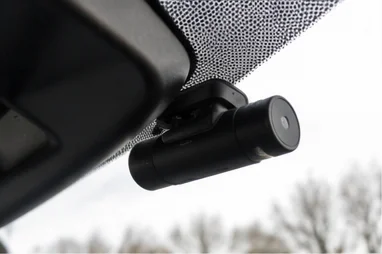
4G Dash Cam Not Connecting? How to Get Back Online
Timi
The whole point of a 4G dash cam is that it is online. When it drops off the network, your footage is stuck in the vehicle and you are back to a camera you have to physically visit.
A 4G camera connects differently from a basic dash cam, so it fails differently too. Here is what breaks the connection and how to get it back.
How a 4G dash cam connects
A 4G camera has a SIM inside it, either a physical card or a built-in eSIM. That SIM connects the camera to a mobile network, exactly like a phone, and through that network the camera reaches the cloud and your app. This is completely separate from the local Wi-Fi some cameras use to pair with a phone nearby.
That means a 4G connection depends on three things being right: an active data plan, a usable mobile signal where the vehicle is, and the correct network settings on the camera.
The most common causes
In rough order of likelihood:
- The data plan has lapsed or run out. No active subscription or a used-up data allowance is the number one reason a 4G camera goes quiet. The hardware is fine, it just has no service.
- Poor signal where the vehicle is parked. Underground car parks, steel-framed buildings, and rural spots with weak coverage all block the signal. The camera cannot connect to a network that is not reaching it.
- A SIM that has worked loose. On cameras with a physical SIM, vibration can unseat the card over time.
- Wrong network settings (APN). The camera needs the correct APN for its SIM’s network. If this is wrong or has reset, it will not get online.
- A network outage. Occasionally the mobile network itself has a local problem.
- Firmware. An out-of-date camera can lose connection stability until updated.
Step-by-step fix
- Check the subscription and data allowance first. Before touching the hardware, confirm the data plan is active and has allowance left. This is the fastest thing to rule out and the most common cause.
- Check the signal at the vehicle’s location. Is the vehicle somewhere a phone would struggle, like an underground car park? Move it into the open and see if it connects. If it does, the problem was coverage, not the camera.
- Reseat the SIM. If the camera uses a physical SIM, power the camera down, remove and reinsert the SIM, and power back up.
- Reboot the camera. A simple power cycle re-establishes the network connection and fixes a lot of dropouts.
- Check the APN settings. Make sure the camera’s APN matches what the SIM’s network requires. Your provider can confirm the correct value.
- Update the firmware. If it keeps dropping, an update often improves connection stability.
- Contact your provider. If the SIM is active, signal is good, and it still will not connect, the SIM or account may need attention at the network end.
Signal is the big one
Most 4G dropouts come down to where the vehicle is. Mobile signal does not pass well through concrete, steel, or the ground, so a camera that is perfectly healthy will go dark in an underground car park or a metal-clad depot and reconnect the moment the vehicle is back in the open. It is worth knowing your regular parking spots, because a camera that always drops off in the same place is telling you about coverage there, not about a fault.
Consumer 4G versus a managed fleet connection
Here is where a self-managed 4G camera and a proper fleet setup part ways. With a consumer camera you are responsible for the SIM, the data plan, the APN, and topping up the allowance, and any of those going wrong takes the camera offline until you sort it.
On a managed fleet system, the connectivity is part of the service. The SIM, data, and settings are handled for you, so there is no APN to configure and no allowance to forget to top up, and the platform shows you at a glance which cameras are online. You spend your time looking at footage, not troubleshooting SIMs. You can see how that works on our connected dash cameras page.
Why this matters more across a fleet
For one vehicle, a 4G camera dropping offline is an inconvenience you will notice next time you open the app. Across a fleet, a camera that quietly goes offline is a camera you are no longer getting footage from, and with a self-managed setup nobody may notice until an incident happens and the footage was never uploaded.
A managed system flags an offline camera so you can act on it, rather than discovering the gap after the fact. For taxi and PHV operators, where footage can decide a passenger dispute, that visibility is worth a lot, as we cover in our guide to dash cams for UK PCO operators. If the issue is pairing a phone locally rather than the 4G link, see our guide to a dash cam that will not connect to the app.
Summary and next steps
If your 4G dash cam will not connect, check the subscription and data allowance first, then the signal where the vehicle is parked, then reseat the SIM and reboot. Confirm the APN and update firmware if it keeps dropping. Most dropouts are coverage or a lapsed plan, not a broken camera.
For a fleet, take the SIM and data admin off your plate entirely with a managed connection and see every camera’s status in one place. Book a demo to see it in action →