

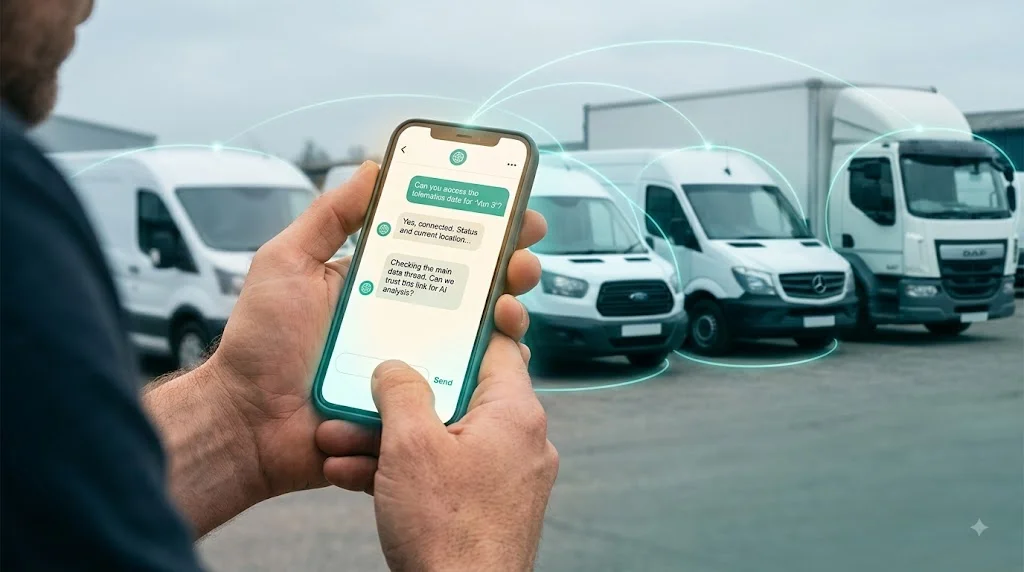
Gemini Fleet Management: Can Google's AI Run Your Fleet?
Charles
If you already run your business in Google Workspace, using Gemini to manage the fleet feels like the obvious next step. The problem is that Gemini can read your inbox, but it can’t see your vans.
Can Google’s Gemini manage a fleet?
Up to a point, yes. Beyond that point, no.
Gemini is Google’s AI, and its real strength is how tightly it sits inside Google Workspace. It can summarise a long email thread about a vehicle handover, pull numbers out of a Sheet, draft a message to a driver and find the right file in Drive. If your operation lives in Gmail, Docs, Sheets and Calendar, that’s genuinely handy.
But your fleet doesn’t live in Google Workspace. It lives in your tracking platform, your dash cameras and your immobiliser controls. Gemini has no window into any of that.
Ask it “which vehicles idled for more than 30 minutes yesterday” and it can’t answer, because the data simply isn’t in the tools it can reach. It might read a spreadsheet you exported by hand an hour ago, but that’s a stale snapshot, not a live view of your fleet. The moment a vehicle moves, your export is out of date.
So Gemini is a strong assistant for the paperwork around your fleet, and blind to the fleet itself.
The real gap: a spreadsheet is not live data
Here’s where a lot of operators get stuck. They assume that because Gemini can read a Sheet, they can build a fleet assistant out of it.
You can, but it only works for as long as the Sheet is accurate, and a fleet never sits still. Vehicles move, trips end, events happen, drivers clock on and off. A spreadsheet is a photograph of one moment. By the time you’re asking a question, the real world has already moved on.
To answer live questions you need live data. That means a direct, continuous connection into the systems that actually track your vehicles, not a copy someone remembered to update this morning.
Think about how a question gets answered today without that connection. You want to know which vans were left idling too long yesterday. You open your tracking platform, filter by date, sort by idle time and read down the list. A few minutes if you know the tool. Multiply that across every small question in a day and you’ve lost real time to admin that AI should be handling.
How Traknova closes the gap
Traknova connects an AI assistant directly to your live fleet data. The assistant is built on Claude, Anthropic’s model, and it links to your vehicles through a secure connection called the Model Context Protocol (MCP).
In practice you get the plain-English experience you’d expect from any modern AI, but the answers come from your actual fleet, in real time. You ask a question the way you’d ask a colleague, and you get a straight answer pulled from live data rather than a guess or a stale export.
What MCP is, in plain terms
MCP is an open standard for connecting AI assistants to real tools and data sources. It’s the piece most people are missing when they picture running a fleet through Gemini or any other chatbot.
The simple version: Traknova runs an MCP server that gives the assistant secure, read access to your fleet data. When you ask a question, the assistant uses that connection to look up the answer in your live records, then replies in plain English. If the data isn’t there, it says so, rather than inventing a number to fill the gap.
That honesty matters. A general chatbot with no data connection will often give a confident, wrong answer because it’s built to respond, not to verify. An assistant wired to your real fleet has something concrete to check against, so you can trust what comes back.
What you can ask
These are the kinds of questions the assistant handles day to day:
- “Which vehicles idled for more than 30 minutes yesterday?”
- “Show me every harsh braking event this week.”
- “Is KX21 ABC currently immobilised?”
- “Which drivers are due a licence check this month?”
- “What was the total mileage across the fleet last week?”
- “Which vehicles haven’t moved in the last three days?”
You get the answer in seconds, with the option to open the underlying record when you want the detail behind it.
A quick example
Say a customer disputes a damage charge on a rental first thing Monday. Normally you’d pull the vehicle history, find the right trip, check the tracking log and dig out the dash cam clip. Four systems, a few minutes each.
Instead you ask: “Show me the trips and any harsh impact events for KX21 ABC over the weekend.” The assistant pulls the relevant records and points you to the moment that matters. You’ve gone from a ten-minute hunt to a ten-second question, with the evidence in front of you while the customer is still on the phone.
Can you build this yourself on the Gemini API?
You could. Google gives you the Gemini API, and technically you could wire it into your own systems.
The catch is everything around it. You’d be building and maintaining the data connections into your tracking, cameras and immobilisers. You’d be handling security and permissions so the wrong person can’t ask about the wrong vehicle. You’d be keeping it accurate as your systems change. That’s a real engineering project, and keeping it running is a full-time job.
Most fleet operators don’t have a spare engineering team, and the ones that do have better places to point it. Traknova has already done that work, tested it and secured it, so you get the result without owning the build. It sits on top of the GPS tracking, cameras and immobilisers you already use, so there’s nothing new to install on your vehicles.
What about data security?
Fair question, and usually the first one operators ask.
The assistant reads from your fleet data to answer your questions. It doesn’t hand your records to anyone else, and access follows the same permissions your team already has in Traknova. Someone who can’t see a vehicle in the dashboard can’t ask the assistant about it either.
Because the connection is read-based for answering questions, the assistant isn’t quietly changing settings on your fleet in the background. If you want the full detail on where data is stored and how it’s handled for your setup, we’ll walk you through it before you commit to anything.
Who this helps
The teams getting the most from this are the ones buried in small daily queries:
- Taxi and PHV operators checking driver activity and vehicle status through the day
- Car rental firms tracking availability, mileage and condition across a moving fleet
- Dealerships keeping eyes on stock without walking the forecourt every time
If someone on your team spends part of every day answering “where is it” and “what happened”, this hands that time back.
Getting started
Keep using Gemini for what it’s good at, the emails, the docs, the day-to-day admin. Just don’t expect it to see your vehicles, because it can’t.
For the live fleet questions, you need an assistant that connects straight to your data and gives you an answer you can trust. The quickest way to judge it is to watch it run against a real fleet and throw your own questions at it.