
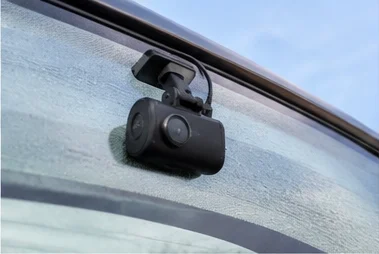
Dash Cam Keeps Overwriting Footage Before You Can Save It: Here Is What to Do
Sheriff Subair
Your driver reports an incident. You check the dashcam. The footage is gone — overwritten hours ago. The camera was working perfectly. It did exactly what it was designed to do. The problem is you needed that footage.
What loop recording is and why dashcams overwrite footage
Loop recording is the core function that makes dashcams practical. Without it, a camera would fill its SD card within a few hours and stop recording. Loop recording solves this by continuously overwriting the oldest footage as the card fills, so the camera keeps running indefinitely.
In a 64GB card with a typical dashcam, you get between 8 and 16 hours of footage at any one time. Everything older than that window is gone. This is not a bug — it is the designed behaviour. The problem arises when an incident happens and nobody retrieves the footage before that window closes.
When overwriting becomes a problem
There are two distinct scenarios where dashcam overwriting creates a real issue.
The first is the retrieval window problem. An incident happens on Tuesday. The driver does not mention it until Thursday. By then, the footage has been overwritten. No evidence. No defensible position on the insurance claim.
The second is the opposite problem: overwriting stops working. G-sensor lockup fills the card with protected files the camera cannot overwrite, and recording stops entirely — even though the camera appears to be running. This is the scenario most people do not know about until footage disappears from a camera they assumed was working.
The G-sensor lockup problem that stops your dashcam recording
Every dashcam has a G-sensor that detects sudden movement and locks the current clip automatically. The intention is to protect collision footage from being overwritten before you can save it. With the sensitivity set too high, the G-sensor locks clips far more than intended.
On a route with speed bumps, potholes, or aggressive braking, a dashcam set to high G-sensor sensitivity can lock dozens of clips per shift. Each locked clip takes up space the loop recording cannot touch. Once the card fills with locked files, the camera has nowhere to write new footage and stops recording entirely — while displaying normal recording indicators.
For fleet operators, this problem compounds. A fleet of 20 vehicles running the same urban routes can all experience G-sensor lockup simultaneously when road conditions are bad. The effect is invisible until someone checks the footage and finds nothing there.
How to save footage before it gets overwritten
The only way to preserve specific footage on a local SD card dashcam is to act within the recording window. For most cameras, that means within 8 to 16 hours of the event.
Most dashcams have a manual event-lock button — pressing it during or immediately after an incident locks the current clip and marks it as protected. If the incident has already passed, connect the camera to a computer or phone via the dashcam’s app and copy the relevant files directly.
Relying on drivers to do this consistently is impractical across a fleet. For a full walkthrough of how to retrieve and store footage before it is lost, see the guide on how to save dash cam footage.
How to fix a dashcam that has stopped recording due to locked files
If the card is full of G-sensor-locked files and the camera has stopped recording, there is one fix: format the card inside the camera through the settings menu.
Formatting clears everything on the card — including all locked files — and resets the storage. The camera will start recording immediately after. Before formatting, confirm there is no footage on the card you still need, because the format is permanent.
After formatting, lower the G-sensor sensitivity to Low or Medium in the camera settings. This reduces how aggressively the camera locks clips and prevents the same build-up happening again. For most fleet operations, a Medium G-sensor setting protects genuine collision footage without triggering on routine bumps.
Also check the SD card itself. High-endurance cards rated for continuous recording handle the repeated write cycles of dashcam use far better than standard cards. A standard card that has been running for more than a year is likely failing and should be replaced. See the best SD card for dashcams for specific recommendations.
Fleet operators: the multi-vehicle G-sensor problem
For fleets running shared vehicles on urban routes, G-sensor lockup is a fleet-wide risk. The same road conditions — speed bumps, potholes, heavy traffic — affect every vehicle simultaneously. When multiple cameras fill with locked files at the same time and stop recording, an operator can go days without realising that significant portions of the fleet have no footage at all.
The TfL CCTV guidelines for taxis and PHVs state that footage must be retained for up to 28 days from capture. A camera that has stopped recording because of G-sensor lockup is not meeting this requirement. When a passenger complaint or compliance check requires footage from a vehicle that was technically operational but actually recording nothing, the operator has no position to defend.
Preventative maintenance matters here. Formatting all cards inside the cameras on a fixed schedule — every four weeks — clears accumulated locked files before they cause a failure. Adding G-sensor sensitivity checks to any regular vehicle inspection catches the problem before it spreads across the fleet.
How cloud storage eliminates overwriting anxiety permanently
Every problem in this article is specific to SD card-based local storage. A 4G-connected dashcam that uploads footage to the cloud as it is recorded removes the time pressure entirely.
Footage is available immediately after it is captured, from any device, for as long as the platform retains it. There is no retrieval window to beat, no locked files to fill the card, and no manual intervention required from drivers. For fleet operators where retrieving footage depends on drivers acting quickly and correctly, removing that dependency is the practical value.
See how Traknova’s 4G dashcam stores footage automatically without SD card risk
Frequently asked questions
Is my dashcam broken if it keeps overwriting footage?
No. Overwriting is the standard loop recording function. The problem is either that the retrieval window is too short for your operation, or that G-sensor lockup has filled the card and stopped recording. Check G-sensor sensitivity settings and format the card inside the camera.
How do I stop my dashcam overwriting important clips?
Use the manual event-lock button immediately after an incident, or copy the files to a computer or phone before the loop recording window closes. For consistent footage retrieval across a fleet, cloud upload is more reliable than depending on manual action.
Why has my dashcam stopped recording even though it looks like it is on?
This is almost always G-sensor lockup. The card is full of protected files that loop recording cannot overwrite, so the camera has nowhere to write new footage. Format the card inside the camera through the settings menu, then lower the G-sensor sensitivity before the next journey.
How long does dashcam footage last before it is overwritten?
Typically 8 to 16 hours on a 64GB card at standard recording quality. Higher resolution settings or smaller cards reduce this window. To extend it, use a larger card or reduce recording resolution if the camera allows it.